Posts > Building Game with Phaser: A small quick game
Building Game with Phaser: A small quick game
October 7, 2026
Trying Phaser’s mouse event so I decided to make a small quick game. There’s no really grand plan this time for I wanted only for this game to be just a quick simple and I wanted to finish it within the day.
What I’ve learned building the game
Random number generator
Phaser has a great options for generating random numbers you can read it more in their documentation. In this game I used the integerInRange(min,max) to randomly use a number between a two values. This is great when creating a random number for your game like for me is I need to randomized x and y position of my sprite
Make your sprite clickable(interactive)
This one is just adding a setInteractive() to your image/sprite once you create them, I needed this so I can click “hit” my asset during the game.
The on() method
I’ve use the on(eventName, listener, [context]) method on my emitters often, I didn’t realize that this one can also listen to mouse events. This method used to register a callback function so you need the specific mouse event like pointerdown and then run the function you add to on()
More about time events
Last game I already have to deal with time event but last time its more of a stopwatch, this time I needed a count down timer. So if you call the instance of your timer you can get its elapse time automatically as that’s how the timer event work, but if you want to get the count down you need a bit more help, and Phaser already have a built in methods for that. One is hasDispatched this checks the timer event instance has start counting. Of course you’ll need to set your event delay to start on a certain time like 10 seconds. The very important method here is the getRemainingSeconds() this returns a float that you need to convert for your preference time pattern
Update to display countdown
Anything that you wanted to change in your game during gameplay will go to the update() pillar like the timer UI if you wanted to show time countdown.
Changing image size in code
This is the first time I had to change the image size of my asset so setDisplaySize(x, y) is new to me.
Finish Product
The game is a “Whack-A-Mole” game you just have to hit/click into the image as it pops up and for only 10 seconds and you got a score every time you hit one ( my highest is 30 ). It’s really simple game really the code is just removing and displaying the asset back but in different position and the random number generator helps me on that. Per usual I have the game up in my itch.io account for you to play or my Github repository if you want to see the code.
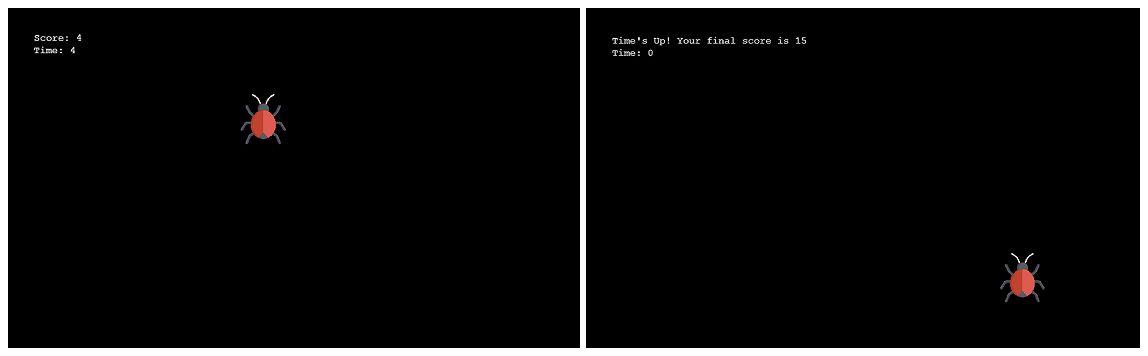
The game UI is s***y unlike my previous game which still s***y but with a fineness. I just want to try out a simple mouse event and decide what to do for my next game as I plan to incorporate mouse event. It doesn’t really matter what your game looks like right now that you’re learning the important is having fun with building, learning the foundation and doing it consistently.